Zoho MCP: The Complete Guide to AI-Powered Business Automation (2026)

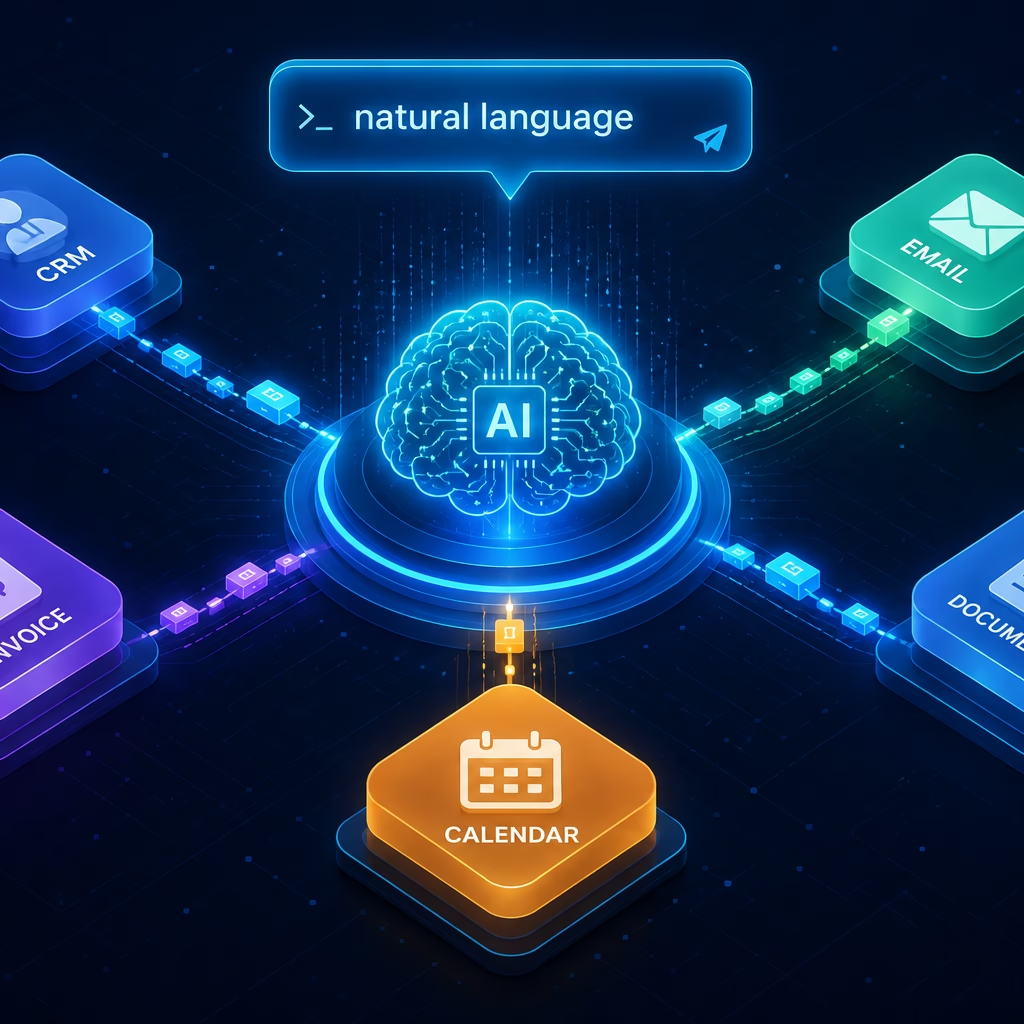
Zoho MCP is changing how businesses automate complex, multi-step workflows. Instead of manually switching between apps, copying data, and chasing teams, you write one natural language prompt, and an AI agent handles everything.
Zoho MCP (Model Context Protocol) connects AI agents like Claude directly to your business applications. The result: autonomous, cross-app execution with full context preserved across every step.
In this guide, you will learn exactly what Zoho MCP is, how it works, its standout features, real-world use cases, and step-by-step setup instructions.
Table of Contents
- What Is Zoho MCP?
- What Is Model Context Protocol (MCP)?
- How Zoho MCP Works
- Key Features of Zoho MCP
- Zoho MCP Use Cases
- How to Set Up Zoho MCP: Step-by-Step
- Zoho MCP vs. Traditional API Integration
- Frequently Asked Questions
- Conclusion
What Is Zoho MCP?
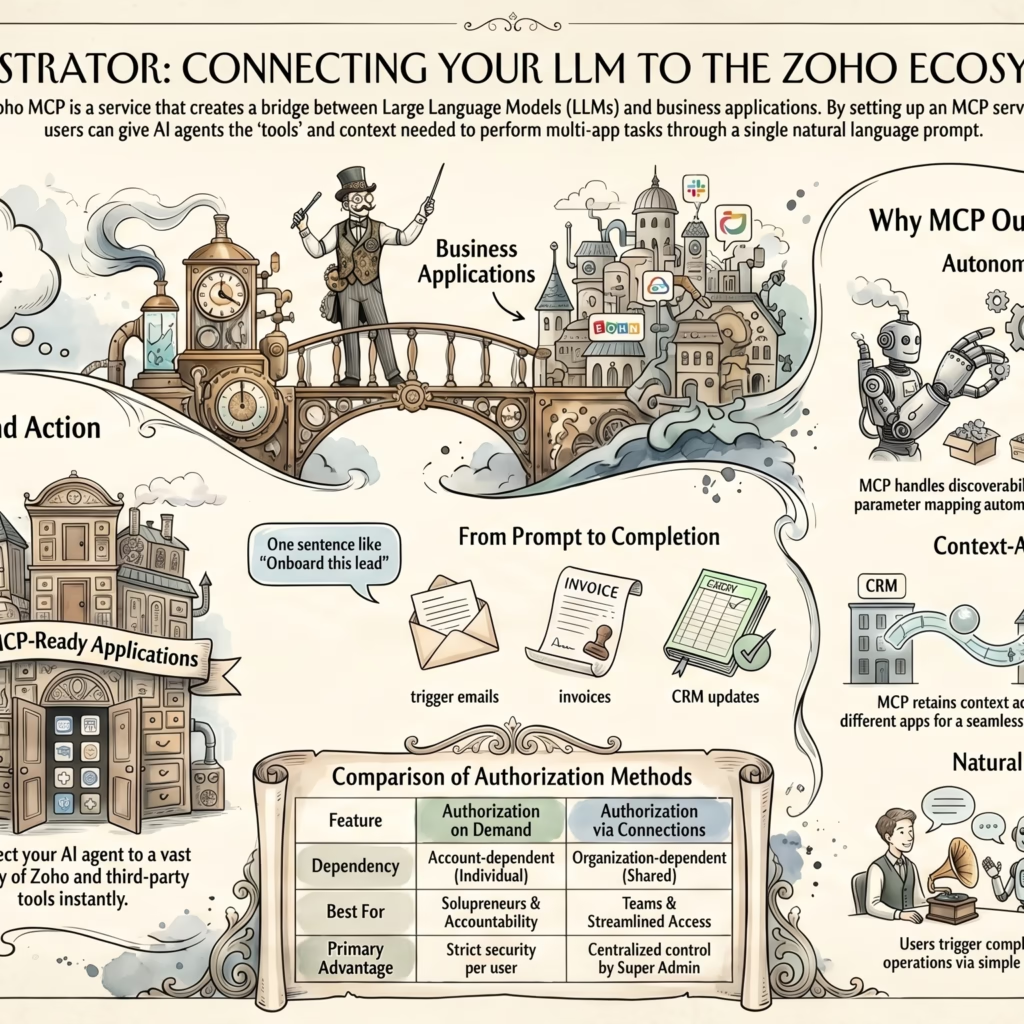
Zoho MCP is a middleware service that lets you create MCP servers pre-loaded with tools from Zoho and third-party applications. Once connected to an MCP-compatible AI client such as Claude, you instruct the agent in plain English, and it executes full workflows across every connected service.
Zoho MCP is not an AI model. Think of it as the bridge between your AI agent and your business apps. It gives the agent the context, permissions, and tool definitions it needs to act on your behalf inside real applications.
The service connects to 300+ Zoho and third-party MCP-ready applications, including Zoho CRM, Zoho Mail, Zoho Books, Zoho WorkDrive, Zoho Cliq, and dozens of external platforms.
Key Insight: Zoho MCP eliminates the orchestration tax – the hidden cost of manually coordinating workflows across multiple business systems.
What Is Model Context Protocol (MCP)?
Model Context Protocol (MCP) is an open, standardized protocol that defines how applications communicate with Large Language Models (LLMs). Think of it as USB-C for AI integrations – a universal connector that lets any compliant AI agent interact with any compliant application using a shared language.
Before MCP, connecting an AI model to a business tool meant building bespoke authentication flows, manually mapping API parameters, and writing brittle custom error handlers. MCP standardizes that entire layer. As a result, AI agents already know how to talk to any tool exposed through the protocol.
How Zoho MCP Works
The Zoho MCP execution flow follows three clear steps:
Step 1: You Write a Prompt
“Send the client a welcome email with the MSA attached, generate an invoice in Zoho Books, and mark the deal as Closed Won in CRM.”
Step 2: The Agent Extracts Context
The AI client reads your prompt, extracts intent, and maps it to the tools configured on your Zoho MCP server. It identifies which services to call and in what order.
Step 3: Autonomous Execution Begins
The client calls each tool in sequence. Critically, it carries context from step to step. The client name, deal amount, and assigned rep pulled from CRM automatically flows into the invoice and email. You enter zero data manually. Traditional automations are stateless. Zoho MCP preserves context across the entire workflow.
Key Features of Zoho MCP
1. Fully Autonomous Workflow Execution
Traditional automation tools such as Zapier, Zoho Flow, and custom scripts require you to define every trigger, branch, and parameter upfront. They automate tasks, but they are not autonomous. You must anticipate every failure state and code around it.
Zoho MCP hands control to the AI client. Given a goal, the agent discovers which tools to invoke, sequences them correctly, and adapts when a step returns an unexpected result. You define the outcome. The agent determines the path.
Real Example: Import a CSV of leads and prompt the agent to create CRM records, assign follow-up tasks, add notes, and convert qualified leads to accounts – six distinct operations from one instruction.
2. Cross-Application Context Awareness
Each traditional API call is stateless. Consequently, passing data between steps requires custom middleware and manual variable mapping. Zoho MCP eliminates that entirely. When the agent sends a post-deal email through Zoho Mail, it already carries the customer name from CRM, contract value from the deal record, assigned rep details, and the invoice number from Zoho Books. No middleware. No copy-paste. No tab-switching.
3. Intelligent Error Recovery
When a traditional API integration fails, it stops exactly as coded. MCP-enabled AI clients interpret errors contextually. Instead of stopping, the client retries with adjusted parameters, falls back to an alternative approach, or returns the best possible output given the constraint. The agent always tries to fulfill the instruction, even under failure conditions.
Troubleshooting Tip: If your Zoho MCP client cannot complete an action, check: (1) the required tool is configured in your server, (2) your prompt provides enough context for intent extraction, (3) the service exposes that action as an MCP tool at all.
4. OAuth2.1 Security with Two Authorization Models
Every tool in a Zoho MCP server authenticates via OAuth2.1. Authorization on Demand (default) requires each user to authenticate with their own credentials – best for per-user audit trails. Authorization via Connections lets the Super Admin share OAuth tokens with the team – best for enterprise shared workflows.
Security Warning: Treat your MCP Server URL like a password. It embeds a secure API key that authorizes every action. Regenerate this key immediately if the URL is ever compromised.
5. Pre-Configured Servers
Zoho MCP offers pre-configured servers – ready-made templates assembled around common use cases such as CRM data management or financial analytics. Authorize one and connect it to your AI client immediately. These servers are fully customizable – add or remove tools to fit your specific workflow.
6. Collaborators and Role-Based Access
The Collaborators feature lets the Super Admin invite team members to the organization Zoho MCP account. Collaborators share the MCP server without requiring individual server creation or credential sharing.
| Role | Permissions |
|---|---|
| Super Admin | Full access; manages collaborators and authorization |
| Admin | All MCP features + collaborator management |
| User | All MCP features; no collaborator management |
7. Execution Logs with 30-Day Retention
Every tool action executed through Zoho MCP is indexed in the Logs section, tagged with standard HTTP response codes. Logs are retained for 30 days, filterable by time and tool. Authorization on Demand logs include the Zuid (Zoho User ID) for per-user audit trails.
Zoho MCP Use Cases
Sales Operations Automation
Import a CSV of leads, create CRM records, assign follow-up tasks, add contextual notes, and convert qualified leads to deals – from a single natural language prompt.
Client Onboarding Workflow
After a deal closes, Zoho MCP triggers the full onboarding sequence automatically: send a welcome email with the MSA from Zoho WorkDrive, generate an invoice in Zoho Books and CC the accounts lead, mark the deal as Closed Won in Zoho CRM, and alert the onboarding team via Zoho Cliq. Previously 45 minutes of manual work across four apps. With Zoho MCP: one prompt.
Finance Workflow Automation
Generate invoices, track payment statuses, route approval requests, and notify stakeholders across Zoho Books and communication tools – without manual handoffs between teams.
Document Management
Retrieve contracts from Zoho WorkDrive, attach them to client emails, log document access, and update related CRM records – no file picker, no copy-paste, no context switching.
How to Set Up Zoho MCP: Step-by-Step
Setting up Zoho MCP takes less time than building a single traditional API integration. Here is how to get started:
Step 1: Create Your MCP Server
Log in to the Zoho MCP service and create a new server. The service automatically generates a unique MCP Server URL with an embedded API key.
Step 2: Configure Your Tools
Add tools from Zoho and third-party MCP-ready services. Each tool represents a specific action such as sendEmail from Zoho Mail or createLead from Zoho CRM. Authenticate each tool via your preferred authorization model. Alternatively, select a pre-configured server and skip to authorization.
Step 3: Connect to Your AI Client
Paste your MCP Server URL into your MCP-compatible AI client – Claude is a fully supported client. The client reads your tool definitions and is immediately ready to act on prompts.
Step 4: Write a Prompt and Execute
Write a natural language instruction describing your goal. The AI client extracts context, maps it to your configured tools, and executes the workflow autonomously. No further input from you is required.
Zoho MCP vs. Traditional API Integration
With a traditional API approach: You build five separate integrations, each requiring individual OAuth setup, parameter mapping, and error handling. Passing data between steps requires custom middleware. Total build time: days to weeks.
With Zoho MCP: Configure one server with tools from four Zoho apps. Write one prompt. Total setup time after server creation: minutes per tool authorization.
| Factor | Traditional APIs | Zoho MCP |
|---|---|---|
| Setup effort | Per-integration: auth, params, error logic | One-time server configuration |
| Parameter handling | Static, manually mapped | Dynamic, AI-resolved from context |
| Cross-service data flow | Manual variable mapping | Automatic, preserved by AI client |
| Error handling | Predefined code paths only | Autonomous contextual recovery |
| Maintenance | Required when APIs change | Managed by Zoho MCP service |
| Code required | Yes | No |
Traditional APIs offer deterministic, auditable code paths. Zoho MCP offers natural language flexibility with autonomous execution. For teams running high-volume, cross-system workflows, Zoho MCP wins on total operational cost.
Frequently Asked Questions About Zoho MCP
Conclusion
Zoho MCP represents a structural shift in business automation. Traditional APIs automate individual tasks. Zoho MCP automates entire workflows across applications and teams, with context preserved and errors handled autonomously.
For teams running complex, multi-system operations inside the Zoho ecosystem, Zoho MCP eliminates the orchestration tax that siloed API integrations impose. Furthermore, the setup is a one-time investment. The operational return compounds across every workflow that runs through it.
If you are serious about reducing the manual coordination that slows your team down, Zoho MCP is worth evaluating today.
Watch: Zoho MCP Complete Guide (Video Series)
Watch the full Zoho MCP walkthrough in two parts — from setup to real-world workflow execution.
Part 1: Introduction & Setup
Part 2: Advanced Workflows & Use Cases
Next Steps
- Zoho MCP Quick Start Guide – run your first workflow.
- Zoho MCP Tool Manual – explore available tools.
- Implementation Guide – full server configuration steps.
- Glossary – get familiar with MCP terminology.
Share this content: