Zoho CRM vs Salesforce: Detailed Feature Comparison 2026

Choosing the right CRM platform can make or break your sales success. With thousands of businesses switching CRM systems every year, the decision between Zoho CRM and Salesforce has become one of the most critical technology choices facing modern companies.
Both platforms have evolved significantly, but they serve different market segments and business needs. In this comprehensive comparison, we’ll dive deep into features, pricing, usability, and real-world performance to help you make the right choice for your business.
Zoho CRM vs Salesforce – Executive Summary of who wins ?
Quick Answer: It depends on your business size, budget, and complexity needs.
- Choose Zoho CRM if: You’re a small to medium business looking for excellent value, easy implementation, and integrated business suite
- Choose Salesforce if: You’re a large enterprise needing maximum customization, advanced automation, and have dedicated IT resources
The Numbers That Matter
| Metric | Zoho CRM | Salesforce |
|---|---|---|
| Global Market Share | 1.2% | 19.8% |
| Starting Price | $14/user/month | $25/user/month |
| Implementation Time | 2-4 weeks | 3-6 months |
| Learning Curve | Low to Medium | Medium to High |
| Third-party Apps | 300+ | 4,000+ |
⚠️ Pricing Disclaimer: The prices mentioned above may change. Please ensure to check the official Zoho website and official Salesforce website for the most current pricing information.
Feature-by-Feature Comparison
Sales Pipeline Management
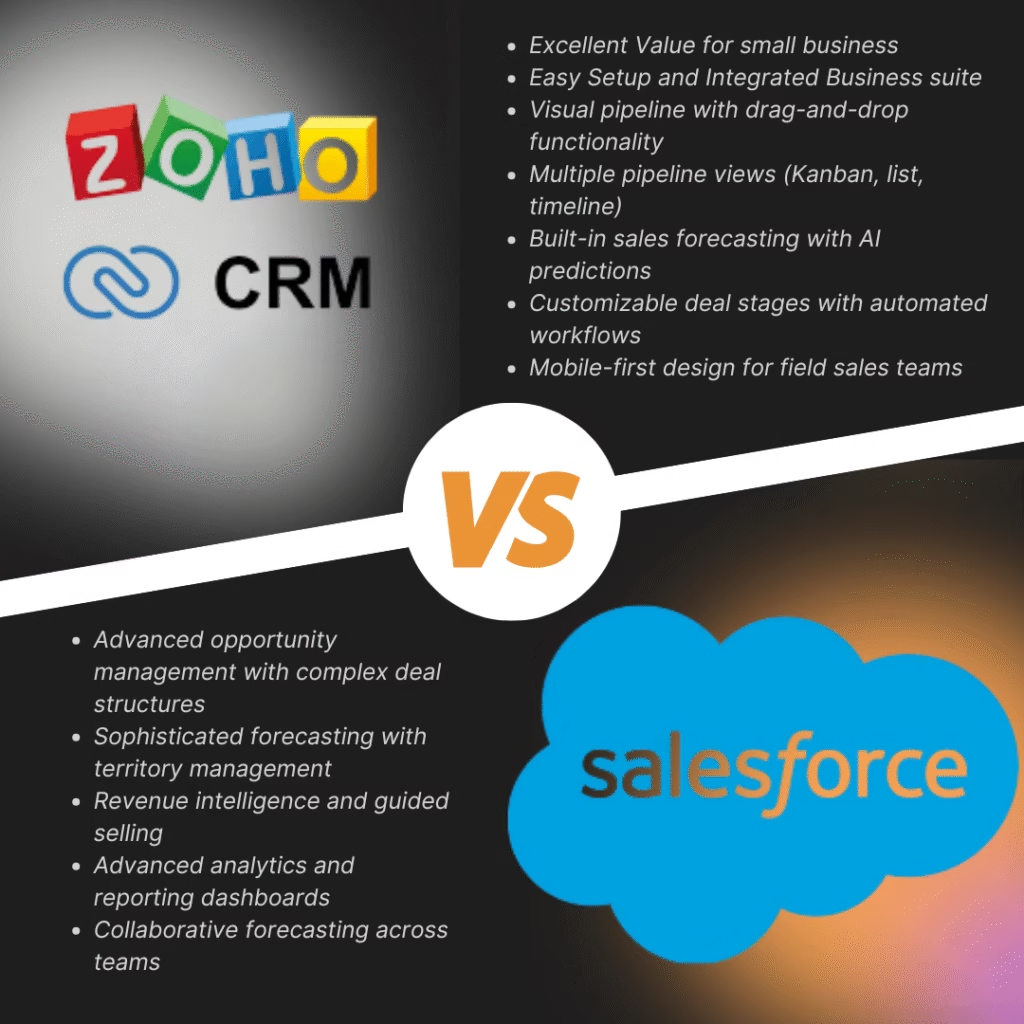
Zoho CRM Strengths:
- Visual pipeline with drag-and-drop functionality
- Multiple pipeline views (Kanban, list, timeline)
- Built-in sales forecasting with AI predictions
- Customizable deal stages with automated workflows
- Mobile-first design for field sales teams
Salesforce Strengths:
- Advanced opportunity management with complex deal structures
- Sophisticated forecasting with territory management
- Revenue intelligence and guided selling
- Advanced analytics and reporting dashboards
- Collaborative forecasting across teams
Winner: Salesforce for complex sales processes, Zoho CRM for simplicity and speed
Contact and Account Management
Zoho CRM Features:
- 360-degree customer view with integrated social media
- Automatic contact enrichment from web and social sources
- Built-in calling, emailing, and texting capabilities
- Timeline view showing all customer interactions
- Duplicate detection and merge functionality
Salesforce Features:
- Comprehensive account hierarchy management
- Advanced segmentation and targeting capabilities
- Einstein AI for contact scoring and insights
- Extensive customization of contact fields and layouts
- Integration with LinkedIn Sales Navigator (premium)
Winner: Tie – Both excel but serve different complexity levels
Marketing Automation
Zoho CRM Marketing Tools:
- Email marketing with templates and A/B testing
- Web forms and landing page builder
- Lead scoring and nurturing workflows
- Social media integration and monitoring
- Webinar integration and event management
Salesforce Marketing Tools:
- Salesforce Marketing Cloud (separate product)
- Advanced lead nurturing and drip campaigns
- Account-based marketing capabilities
- Advanced personalization and dynamic content
- Cross-channel campaign management
Winner: Salesforce (with Marketing Cloud), but Zoho CRM offers better built-in options
Automation and Workflow
Zoho CRM Automation:
- Blueprint for complex business processes
- Workflow rules with email alerts and field updates
- Approval processes and escalation rules
- Scheduled actions and time-based workflows
- Custom functions and API integrations
Salesforce Automation:
- Process Builder and Flow for complex automation
- Approval processes with dynamic approvers
- Einstein AI for predictive automation
- Advanced trigger-based workflows
- Salesforce Lightning Platform for custom development
Winner: Salesforce for advanced automation, Zoho CRM for ease of setup
Reporting and Analytics
Zoho CRM Analytics:
- Pre-built reports and dashboards
- Custom report builder with drag-and-drop
- Real-time analytics and KPI tracking
- Zoho Analytics integration for advanced reporting
- Mobile dashboards and offline access
Salesforce Analytics:
- Einstein Analytics (Tableau CRM)
- Advanced reporting with formula fields
- Custom dashboards with interactive charts
- Salesforce Reports and Dashboards
- AI-powered insights and recommendations
Winner: Salesforce for depth and customization, Zoho CRM for user-friendliness
Mobile Experience
Zoho CRM Mobile:
- Native iOS and Android apps
- Offline data access and sync
- Mobile-specific features like check-ins
- Voice notes and photo attachments
- GPS tracking for field sales
Salesforce Mobile:
- Salesforce Mobile App with full CRM access
- Lightning Mobile Platform
- Offline capabilities with data sync
- Mobile-specific workflows and approvals
- Advanced mobile security features
Winner: Zoho CRM for out-of-the-box mobile experience
Integration Capabilities
Zoho CRM Integrations:
- Native integration with 40+ Zoho apps
- 300+ third-party integrations via Zoho Flow
- REST APIs and webhooks
- Google Workspace and Microsoft 365 integration
- Popular business apps (Slack, Mailchimp, QuickBooks)
Salesforce Integrations:
- 4,000+ apps on AppExchange
- Extensive API ecosystem
- MuleSoft integration platform
- Deep Microsoft and Google integrations
- Enterprise-grade integration tools
Winner: Salesforce for breadth, Zoho CRM for depth within its ecosystem
Pricing Deep Dive
Zoho CRM Pricing (2026)
- Standard: $14/user/month – Core CRM features
- Professional: $23/user/month – Advanced automation
- Enterprise: $40/user/month – Advanced analytics
- Ultimate: $52/user/month – Premium features + storage
Salesforce Pricing (2026)
- Starter: $25/user/month – Basic CRM for small teams
- Professional: $80/user/month – Full CRM functionality
- Enterprise: $165/user/month – Advanced features
- Unlimited: $330/user/month – All features + premium support
Total Cost of Ownership (TCO) Analysis
For a 10-person sales team over 3 years:
Zoho CRM Professional Plan:
- Software: $8,280 (3 years)
- Implementation: $2,000
- Training: $1,000
- Total: $11,280
Salesforce Professional Plan:
- Software: $28,800 (3 years)
- Implementation: $15,000
- Training: $5,000
- Add-ons: $10,000
- Total: $58,800
Cost Winner: Zoho CRM – 5x more affordable
User Experience and Learning Curve
Zoho CRM User Experience
Pros:
- Intuitive interface with minimal training required
- Clean, modern design that’s easy to navigate
- Quick setup and configuration
- Excellent mobile experience
- Responsive customer support
Cons:
- Limited customization compared to Salesforce
- Some advanced features feel basic
- Reporting could be more powerful
- Third-party app ecosystem is smaller
Salesforce User Experience
Pros:
- Highly customizable to match business processes
- Extensive feature set for complex requirements
- Powerful reporting and analytics
- Large community and extensive documentation
- Regular feature updates and innovations
Cons:
- Steep learning curve for new users
- Complex setup and administration
- Can feel overwhelming for small businesses
- Higher costs for full functionality
- Requires dedicated admin resources
Industry-Specific Considerations
Small Businesses (1-50 employees)
Recommended: Zoho CRM
- Lower cost barrier to entry
- Faster implementation and adoption
- Integrated business suite (email, accounting, projects)
- Excellent customer support
- Scales with business growth
Mid-Market Companies (50-500 employees)
Recommended: Depends on complexity
- Zoho CRM for straightforward sales processes
- Salesforce for complex, multi-departmental needs
- Consider hybrid approach with gradual migration
Enterprise Organizations (500+ employees)
Recommended: Salesforce
- Advanced customization capabilities
- Enterprise-grade security and compliance
- Extensive integration ecosystem
- Dedicated support and consulting services
- Advanced AI and analytics features
Real User Feedback and Case Studies
Zoho CRM Success Story
Company: TechStart Solutions (50 employees) Challenge: Needed affordable CRM with marketing automation Result: 40% increase in lead conversion, 60% reduction in manual tasks Key Quote: “Zoho CRM gave us enterprise features at a small business price.”
Salesforce Success Story
Company: Global Manufacturing Corp (2,000 employees) Challenge: Complex sales process across multiple regions Result: 25% increase in sales productivity, improved forecasting accuracy Key Quote: “Salesforce handles our complexity better than any other platform.”
Migration Considerations
Moving from Salesforce to Zoho CRM
Pros:
- Significant cost savings (60-70% reduction)
- Simplified user experience
- Faster performance and response times
- Better mobile experience
Cons:
- May lose some advanced customizations
- Smaller third-party app ecosystem
- Less powerful reporting capabilities
- Potential integration challenges
Moving from Zoho CRM to Salesforce
Pros:
- More advanced features and customization
- Larger ecosystem of partners and apps
- Better for complex business processes
- Advanced AI and analytics capabilities
Cons:
- Significant cost increase
- Complex migration process
- Longer implementation timeline
- Steeper learning curve for users
Technical Specifications Comparison
Security and Compliance
Zoho CRM:
- SOC 2 Type II compliance
- GDPR and CCPA compliant
- 256-bit SSL encryption
- IP restrictions and 2FA
- Regular security audits
Salesforce:
- SOC 1, 2, and 3 compliance
- GDPR, HIPAA, and industry-specific compliance
- Enterprise-grade security features
- Advanced user permissions and roles
- Salesforce Shield for enhanced security
Winner: Salesforce for enterprise security requirements
Performance and Reliability
Zoho CRM:
- 99.9% uptime SLA
- Global data centers
- Fast loading times
- Regular performance monitoring
- Mobile optimization
Salesforce:
- 99.9% uptime SLA
- Global infrastructure
- Lightning Platform performance
- Real-time monitoring
- Scalable architecture
Winner: Tie – Both offer excellent reliability
The Verdict: Which CRM Should You Choose?
Choose Zoho CRM If:
- You’re a small to medium business (under 200 users)
- Budget is a primary concern
- You need quick implementation and adoption
- You want an integrated business suite
- Your sales process is relatively straightforward
- You prefer simplicity over complexity
Choose Salesforce If:
- You’re a large enterprise with complex needs
- You have dedicated IT and admin resources
- You need extensive customization capabilities
- You require advanced AI and analytics
- You have complex sales processes
- Budget is less of a constraint
The Hybrid Approach
Some businesses start with Zoho CRM and migrate to Salesforce as they grow. Others use Salesforce for sales and Zoho for other business functions. Consider your 3-5 year growth plans when making this decision.
Final Recommendations by Business Size
Startups and Small Businesses
Winner: Zoho CRM Professional ($23/user/month)
- Best value for money
- Quick setup and adoption
- Room to grow within the platform
Growing Mid-Market Companies
Winner: Zoho CRM Enterprise or Salesforce Professional
- Depends on complexity and growth trajectory
- Consider future needs, not just current requirements
Large Enterprises
Winner: Salesforce Enterprise or Unlimited
- Advanced features justify the higher cost
- Enterprise-grade security and compliance
- Extensive customization capabilities
Making Your Decision
Before choosing, ask yourself these critical questions:
- What’s your total budget for CRM over 3 years?
- How complex are your sales processes?
- Do you have dedicated IT resources?
- How important is mobile access for your team?
- What other business systems need integration?
Next Steps
If You Choose Zoho CRM:
- Start with a free trial to test core features
- Map your current sales process to Zoho’s capabilities
- Plan your data migration strategy
- Schedule training for your team
- Consider Zoho One for additional business apps
If You Choose Salesforce:
- Engage with a Salesforce consultant for proper scoping
- Plan for a longer implementation timeline
- Budget for training and ongoing administration
- Consider starting with a pilot program
- Evaluate which Salesforce products you’ll need
Conclusion
Both Zoho CRM and Salesforce are excellent platforms, but they serve different market segments and business needs. Zoho CRM excels in simplicity, value, and ease of use, making it perfect for small to medium businesses. Salesforce dominates in customization, advanced features, and enterprise capabilities.
The key is choosing based on your current needs, future growth plans, and available resources. Remember, the best CRM is the one your team will actually use consistently.
Bottom Line: For most small to medium businesses, Zoho CRM offers the best combination of features, usability, and value. For large enterprises with complex needs and bigger budgets, Salesforce remains the gold standard.
Ready to make your CRM decision? Take advantage of free trials from both platforms to experience the differences firsthand. Need help with implementation or migration? Our CRM experts can guide you through the process.
Ready to supercharge your Zoho setup? Start with one or two integrations from this list and gradually build your connected business ecosystem. Need help implementing these integrations? Contact our Zoho experts for personalized guidance. Do ensure to check the zoho partner here. Read more about why you need a Zoho Partner here.
Stay ahead of the curve with our latest insights! We regularly publish in-depth articles, expert tutorials, and comprehensive guides covering Zoho applications and cutting-edge business technologies. From implementation strategies to advanced tips and tricks, our blog is your go-to resource for maximizing your business productivity. 🔗 The Learning Effort Blogs and discover solutions that can transform your business operations today.
धन्यवाद, ধন্যবাদ, நன்றி, ధన్యవాదాలు, ಧನ್ಯವಾದಗಳು,നന്ദി, આભાર, ਧੰਨਵਾਦ, ଧନ୍ୟବାଦ
감사합니다 | Thank You | ありがとう
Share this content: