25 Best Zoho Integrations Every Business Should Use in 2026


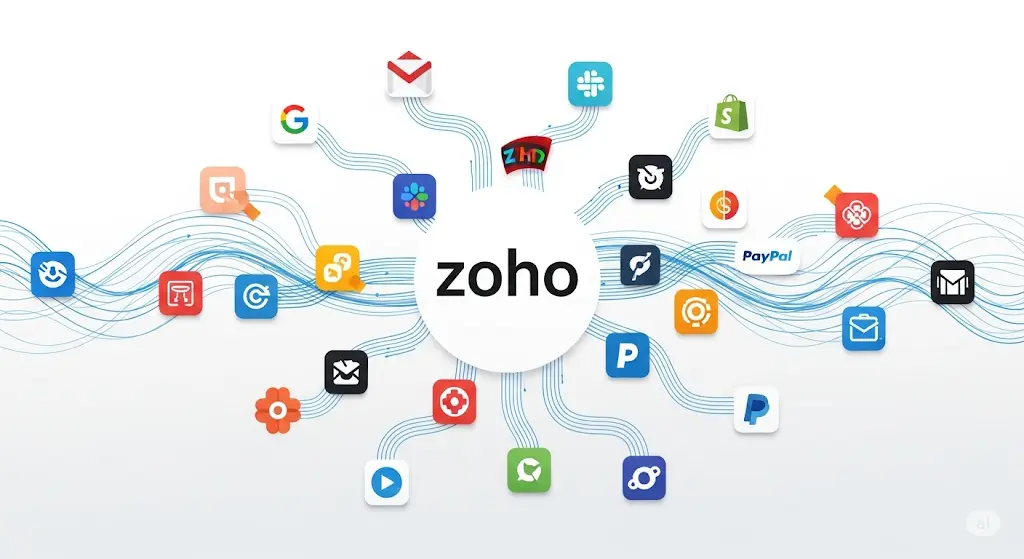
Running a business efficiently requires seamless connectivity between your tools and platforms. While Zoho’s suite of applications offers comprehensive business solutions, integrating them with third-party tools can supercharge your productivity and streamline operations.
In this comprehensive guide, we’ll explore the 25 Best Zoho Integrations Every Business Should Use in 2025 that can transform how your business operates, saving time, reducing manual work, and improving overall efficiency.
Why Zoho Integrations Matter
Before diving into our list, it’s important to understand why integrations are crucial for modern businesses:
- Eliminate Data Silos: Keep information flowing seamlessly between platforms
- Reduce Manual Entry: Automate data transfer and reduce human error
- Improve Productivity: Focus on strategic work instead of repetitive tasks
- Enhanced Reporting: Get comprehensive insights across all platforms
- Better Customer Experience: Provide consistent service across all touchpoints
Communication & Collaboration Integrations
1. Slack + Zoho CRM
What it does: Receive real-time CRM notifications directly in Slack channels
Benefits:
- Get instant alerts for new leads, deals, and customer interactions
- Update CRM records without leaving Slack
- Share customer insights with team members instantly Best for: Sales teams and customer service departments
2. Microsoft Teams + Zoho One
What it does: Integrates Zoho apps within Microsoft Teams interface
Benefits:
- Access Zoho CRM, Projects, and other apps from Teams
- Schedule meetings directly from CRM contacts
- Collaborate on Zoho documents within Teams Best for: Organizations already using Microsoft ecosystem
3. WhatsApp Business + Zoho CRM
What it does: Manage WhatsApp conversations directly from CRM
Benefits:
- Track customer conversations in CRM
- Send automated WhatsApp messages based on CRM triggers
- Maintain conversation history for better customer service Best for: Businesses with high WhatsApp customer engagement
4. Zoom + Zoho CRM
What it does: Schedule and join meetings directly from CRM records
Benefits:
- One-click meeting scheduling with prospects
- Automatic meeting recordings stored in CRM
- Track meeting outcomes and follow-ups Best for: Sales teams conducting virtual meetings
Marketing & Lead Generation
5. Facebook Lead Ads + Zoho CRM
What it does: Automatically imports Facebook lead ad responses into CRM
Benefits:
- Instant lead capture without manual entry
- Immediate follow-up on hot leads
- Better ROI tracking on Facebook campaigns Best for: Businesses running Facebook advertising campaigns
6. Google Ads + Zoho CRM
What it does: Tracks which Google Ads campaigns generate leads and sales
Benefits:
- Measure true ROI of Google Ads campaigns
- Optimize ad spend based on actual conversions
- Create targeted remarketing lists Best for: Businesses investing heavily in Google advertising
7. Mailchimp + Zoho CRM
What it does: Syncs contacts and tracks email campaign performance
Benefits:
- Automatically segment email lists based on CRM data
- Track email engagement in customer records
- Trigger email campaigns based on CRM activities Best for: Businesses with extensive email marketing campaigns
8. LinkedIn Sales Navigator + Zoho CRM
What it does: Import LinkedIn prospects directly into CRM
Benefits:
- Research prospects without leaving CRM
- Track LinkedIn interactions and messages
- Build targeted prospect lists Best for: B2B sales teams focusing on LinkedIn outreach
E-commerce & Online Sales
9. Shopify + Zoho CRM
What it does: Syncs customer data, orders, and inventory between platforms
Benefits:
- Complete customer purchase history in CRM
- Automated follow-up for abandoned carts
- Inventory management across platforms Best for: E-commerce businesses using Shopify
10. WooCommerce + Zoho CRM
What it does: Integrates WordPress e-commerce with CRM functionality
Benefits:
- Track customer lifecycle from visitor to purchaser
- Automated order management and fulfillment
- Customer segmentation based on purchase behavior Best for: WordPress-based e-commerce sites
11. PayPal + Zoho Books
What it does: Automatically records PayPal transactions in accounting
Benefits:
- Eliminates manual transaction entry
- Real-time financial reporting
- Simplified reconciliation process Best for: Small businesses accepting PayPal payments
12. Stripe + Zoho CRM & Books
What it does: Manages payments and automatically updates financial records
Benefits:
- Seamless payment processing
- Automatic invoice marking as paid
- Comprehensive payment analytics Best for: SaaS businesses and online service providers
Productivity & Project Management
13. Trello + Zoho CRM
What it does: Creates Trello cards from CRM deals and tasks
Benefits:
- Visual project management linked to customer data
- Track project progress alongside customer relationships
- Team collaboration on customer-related projects Best for: Creative agencies and project-based businesses
14. Asana + Zoho Projects
What it does: Syncs tasks and project data between platforms
Benefits:
- Unified project management across teams
- Better resource allocation and planning
- Comprehensive project reporting Best for: Large teams using multiple project management tools
15. Google Workspace + Zoho One
What it does: Integrates Gmail, Google Drive, and Calendar with Zoho apps
Benefits:
- Email tracking and templates in Gmail
- Document sharing and collaboration
- Unified calendar management Best for: Teams heavily invested in Google ecosystem
16. DocuSign + Zoho CRM
What it does: Send and track document signatures directly from CRM
Benefits:
- Streamlined contract management
- Automated follow-ups for unsigned documents
- Complete document history in customer records Best for: Sales teams handling contracts and agreements
Customer Support & Service
17. Zendesk + Zoho CRM
What it does: Links support tickets with customer records
Benefits:
- Complete customer interaction history
- Escalate support issues to sales teams
- Track customer health scores Best for: Businesses with dedicated support teams
18. Intercom + Zoho CRM
What it does: Connects customer messaging with CRM data
Benefits:
- Personalized customer conversations
- Automatic lead qualification
- Seamless handoff from marketing to sales Best for: SaaS companies with live chat support
19. Twilio + Zoho CRM
What it does: Enables SMS marketing and communication through CRM
Benefits:
- SMS campaigns based on CRM data
- Two-way SMS conversations
- Automated SMS notifications and reminders Best for: Businesses using SMS for customer communication
Analytics & Reporting
20. Google Analytics + Zoho CRM
What it does: Tracks website visitor behavior and connects to lead generation
Benefits:
- Understanding customer journey from website to sale
- Better attribution modeling
- Improved website optimization Best for: Businesses with significant online presence
21. Power BI + Zoho Analytics
What it does: Creates advanced dashboards combining Zoho and external data
Benefits:
- Enterprise-level reporting capabilities
- Custom visualizations and insights
- Data from multiple sources in one dashboard Best for: Large enterprises needing advanced analytics
22. Tableau + Zoho CRM
What it does: Advanced data visualization and business intelligence
Benefits:
- Complex data analysis and visualization
- Predictive analytics capabilities
- Executive-level reporting dashboards Best for: Data-driven organizations needing deep insights
Finance & Accounting
23. QuickBooks + Zoho CRM
What it does: Syncs customer and financial data between platforms
Benefits:
- Unified customer and financial records
- Streamlined invoicing and payment tracking
- Better cash flow management Best for: Businesses already using QuickBooks
24. Xero + Zoho CRM
What it does: Integrates accounting with customer relationship management
Benefits:
- Automatic invoice generation from CRM deals
- Real-time financial customer insights
- Simplified tax reporting and compliance Best for: Small to medium businesses using cloud accounting
25. Banking APIs + Zoho Books
What it does: Automatically imports bank transactions and reconciles accounts
Benefits:
- Real-time bank balance and transaction updates
- Automated expense categorization
- Faster month-end closing processes Best for: All businesses wanting automated accounting
Implementation Best Practices
Start Small and Scale
Don’t try to implement all integrations at once. Start with the most critical ones for your business:
- Identify Pain Points: Where do you waste the most time on manual tasks?
- Prioritize by Impact: Which integrations will save the most time or generate the most revenue?
- Test Thoroughly: Always test integrations in a sandbox environment first
- Train Your Team: Ensure everyone understands how to use the new integrated workflows
Data Quality Considerations
- Clean Your Data: Ensure data is accurate before setting up integrations
- Establish Data Standards: Create consistent naming conventions and formats
- Monitor Data Flow: Regularly check that data is syncing correctly
- Backup Regularly: Always maintain backups before implementing new integrations
Security and Compliance
- Review Permissions: Only grant necessary access levels
- Monitor API Usage: Keep track of API limits and usage
- Regular Audits: Periodically review active integrations and permissions
- Compliance Checks: Ensure integrations meet your industry’s compliance requirements
Getting Started with Zoho Integrations
Using Zoho Flow
Zoho Flow is Zoho’s native integration platform that connects Zoho apps with 500+ third-party applications. It offers:
- Pre-built workflows for common integrations
- Custom workflow builder with drag-and-drop interface
- Real-time sync capabilities
- Error handling and monitoring
Third-Party Integration Platforms
Consider using platforms like Zapier, Integromat (now Make), or Microsoft Power Automate for more complex integration needs.
Custom API Development
For unique business requirements, consider developing custom integrations using Zoho’s APIs and webhooks.
Measuring Integration Success
Track these key metrics to ensure your integrations are delivering value:
- Time Saved: Calculate hours saved on manual tasks
- Data Accuracy: Monitor error rates and data consistency
- User Adoption: Track how often team members use integrated features
- Revenue Impact: Measure improvements in conversion rates and deal velocity
- Customer Satisfaction: Monitor improvements in response times and service quality
Conclusion
The right integrations can transform your Zoho setup from a collection of separate tools into a unified, efficient business operating system. Start with the integrations that address your biggest pain points, and gradually expand your connected ecosystem.
Remember, the goal isn’t to integrate everything possible, but to create seamless workflows that genuinely improve your business operations. Focus on integrations that eliminate manual work, improve data accuracy, and enhance your team’s productivity.
By implementing these 25 Zoho Best integrations strategically, you’ll create a more efficient, data-driven business that can scale effectively while providing exceptional customer experiences.
Ready to supercharge your Zoho setup? Start with one or two integrations from this list and gradually build your connected business ecosystem. Need help implementing these integrations? Contact our Zoho experts for personalized guidance. Do ensure to check the zoho partner here.
Stay ahead of the curve with our latest insights! We regularly publish in-depth articles, expert tutorials, and comprehensive guides covering Zoho applications and cutting-edge business technologies. From implementation strategies to advanced tips and tricks, our blog is your go-to resource for maximizing your business productivity. 🔗 The Learning Effort Blogs and discover solutions that can transform your business operations today.
धन्यवाद, ধন্যবাদ, நன்றி, ధన్యవాదాలు, ಧನ್ಯವಾದಗಳು,നന്ദി, આભાર, ਧੰਨਵਾਦ, ଧନ୍ୟବାଦ
감사합니다 | Thank You | ありがとう
Share this content: